Proper UI vs shadcn/ui: the same brief, the same model, measured.
Three identical Next.js 15 scaffolds, one prompt, claude-sonnet-5, one run each on 6 Oct 2026. One scaffold had Proper UI and its Skill, one had shadcn/ui, and one had nothing added: plain Tailwind is the control. The prompt:
Build a billing settings page at /settings/billing: current plan with usage, payment method on file, an invoice history table, and a cancel-subscription confirmation dialog. Production quality. Run pnpm build and fix anything it reports until the build passes.What was measured
Every number comes from a metrics.json or an agent-report.md in the repository. Proper UI is not ahead on wall clock, tool calls or files copied in, and the table says so.
| Measure | Proper UI | shadcn/ui | Tailwind only | What it means |
|---|---|---|---|---|
| Build | Passed after 1 fix | Passed first run | Passed first run | The Proper UI build failed once and the agent fixed it: a Badge type="modern" only accepts color="gray"; the agent switched to type="pill-color". The other two builds passed the first time. |
| Setup command | 19 s | 32 s | 0 s | Time for the condition's own setup step, before the agent started. |
| Tool calls | 15 | 9 | 4 | Proper UI took 15 calls against 9 and 4. Its report lists checking the project, searching and listing the registry and reading an example before installing entries. |
| Wall clock | 323 s | 118 s | 80 s | Proper UI was slowest: 323 s against 118 s and 80 s. Time per step was not measured, so the table shows that it took longer, not which step cost the most. |
| Files authored | 3 | 4 | 8 | Files the agent wrote by hand. Library files a CLI copied in are counted on the next row. |
| Lines authored | 273 | 499 | 440 | Lower when a library ships pages as source, which is how Proper UI works. Read it as where the code lives, not as quality. |
| Library files installed | 165 files, 18,082 lines | 6 files, 567 lines | None | Source copied into the repository, including dependencies. Proper UI put 165 files in the project to own; shadcn/ui put 6. |
| Raw palette classes | 0 | 0 | 124 | Classes such as bg-purple-600 in authored files. Zero in both library runs; the Tailwind run has no token layer to use, so this is not a defect there. |
| Arbitrary values | 0 | 0 | 2 | Classes such as p-[13px] in authored files. |
| dark: variants | 0 | 0 | 59 | Dark mode written element by element. The two token-based runs have none. |
| axe, desktop | 0 violations | 1 violation: color-contrast, 2 nodes | 0 violations | axe-core, WCAG 2 A, AA and best practice, on the rendered page. axe rates the shadcn/ui finding serious. |
| axe, mobile | 0 violations | 1 violation: color-contrast, 2 nodes | 0 violations | The same checks at a phone viewport. A clean result is not proof the page is accessible; see the limits below. |
| Mobile overflow | No | No | Yes | The Tailwind page scrolls sideways at phone width. No run overflows on desktop. |
| Console errors | 0 | 0 | 0 | Errors logged while loading the page, desktop and mobile together. |
| Cancel dialog | 4 of 4 checks | 4 of 4 checks | 4 of 4 checks | The dialog opens, has the dialog role, takes focus and closes on Escape. All three runs pass. |
What each run rendered
Taken by the measuring script, not edited. Captions state only what the script and the captures show.
Desktop
Full-page captures at desktop width. Click one to open the full image in a new tab.
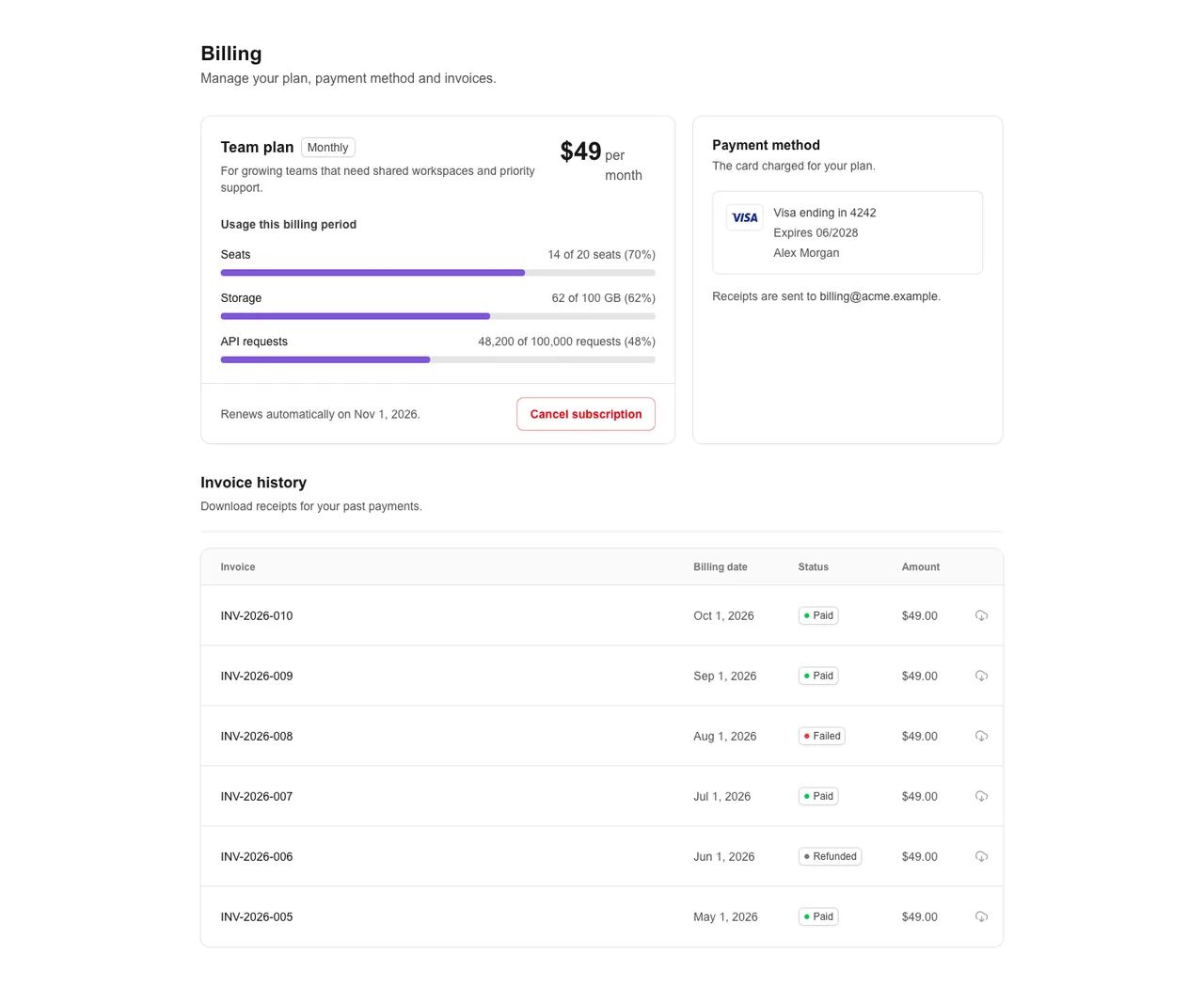
Proper UI. 0 axe violations. 3 files authored. 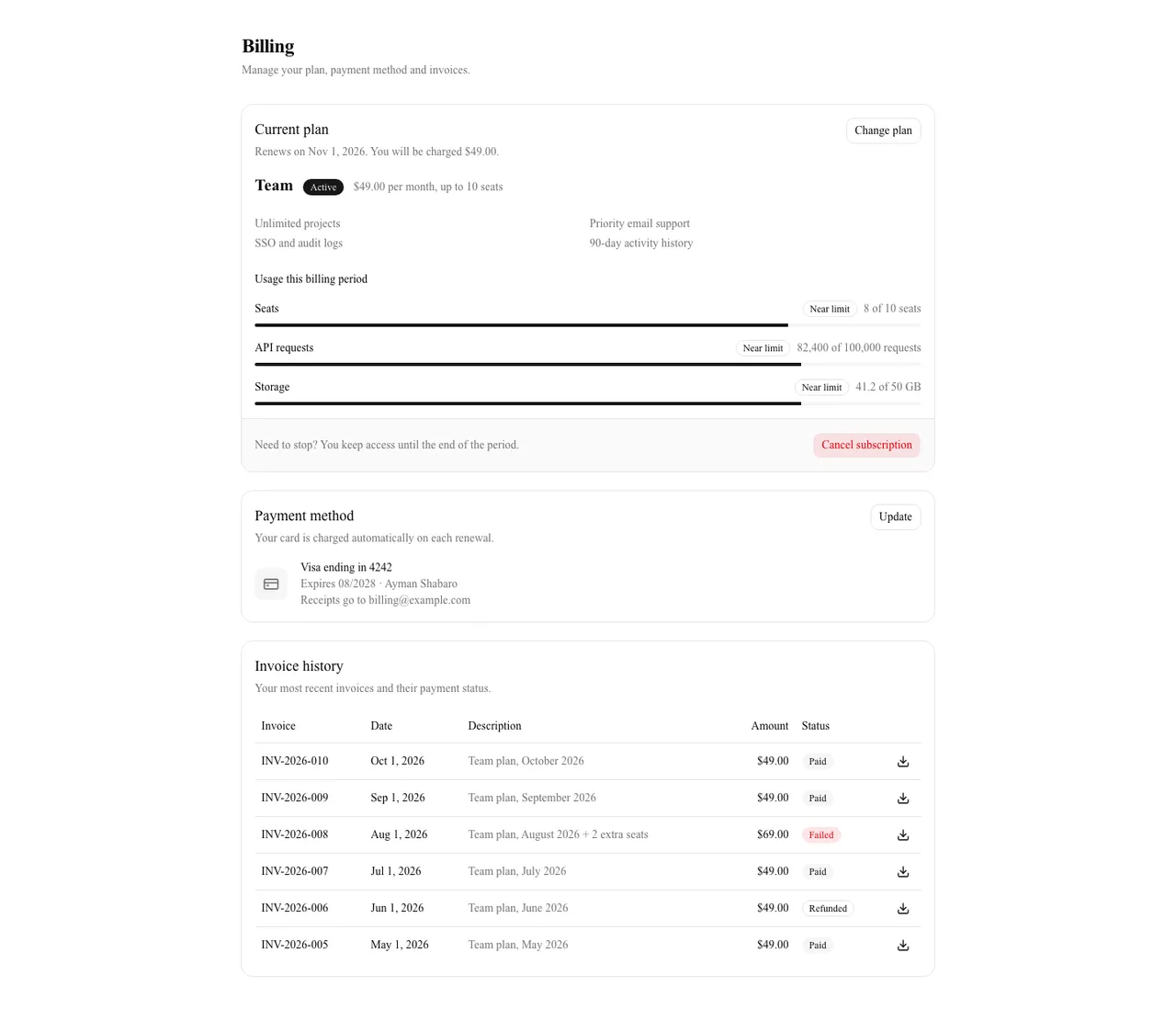
shadcn/ui. Rendered in a serif fallback font, because the shadcn/ui init rewrote the scaffold's font setup. axe: 1 violation (color-contrast on 2 nodes). 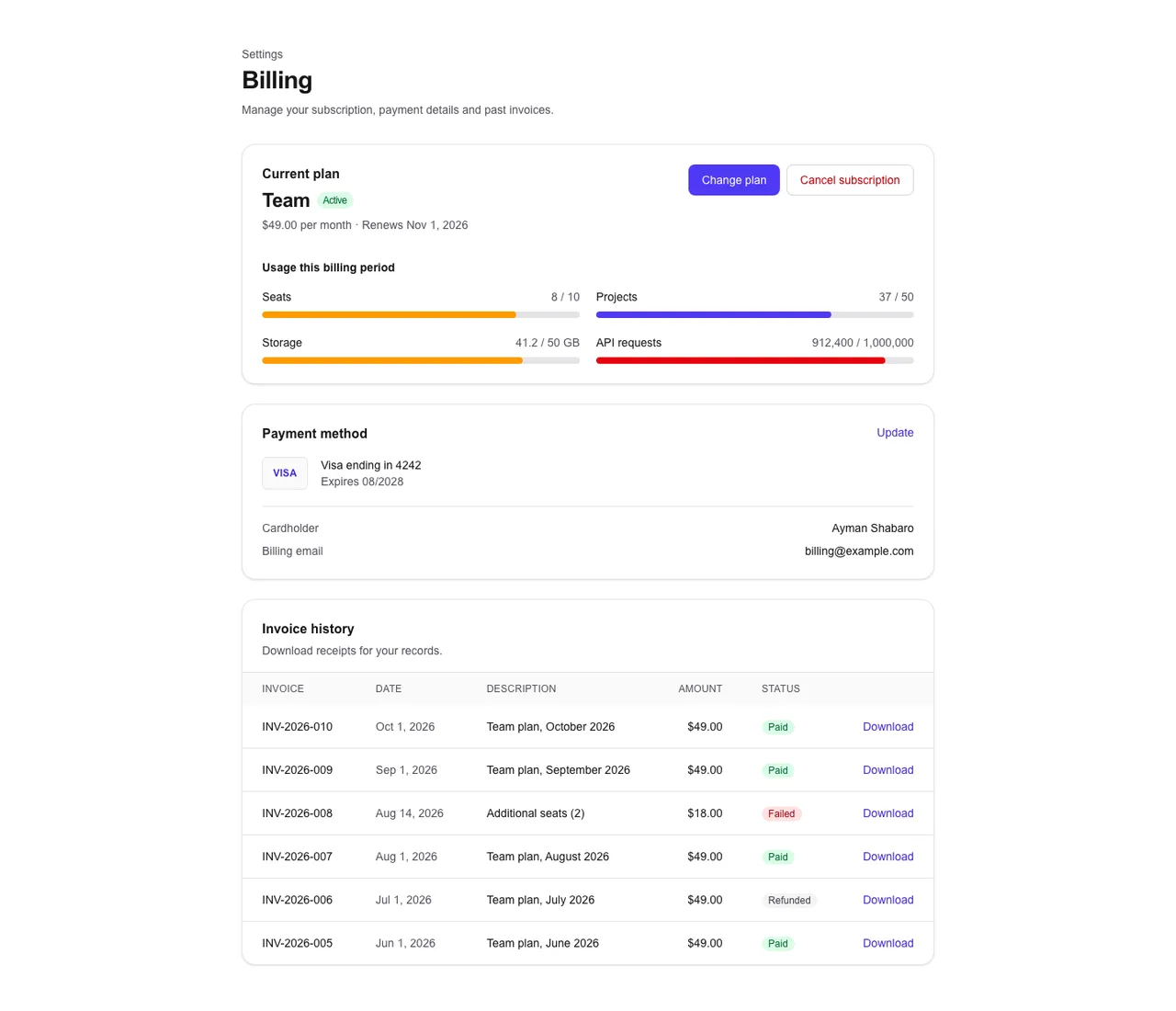
Tailwind only. 0 axe violations. 8 files authored.
Cancel dialog
The cancel-subscription dialog, open.
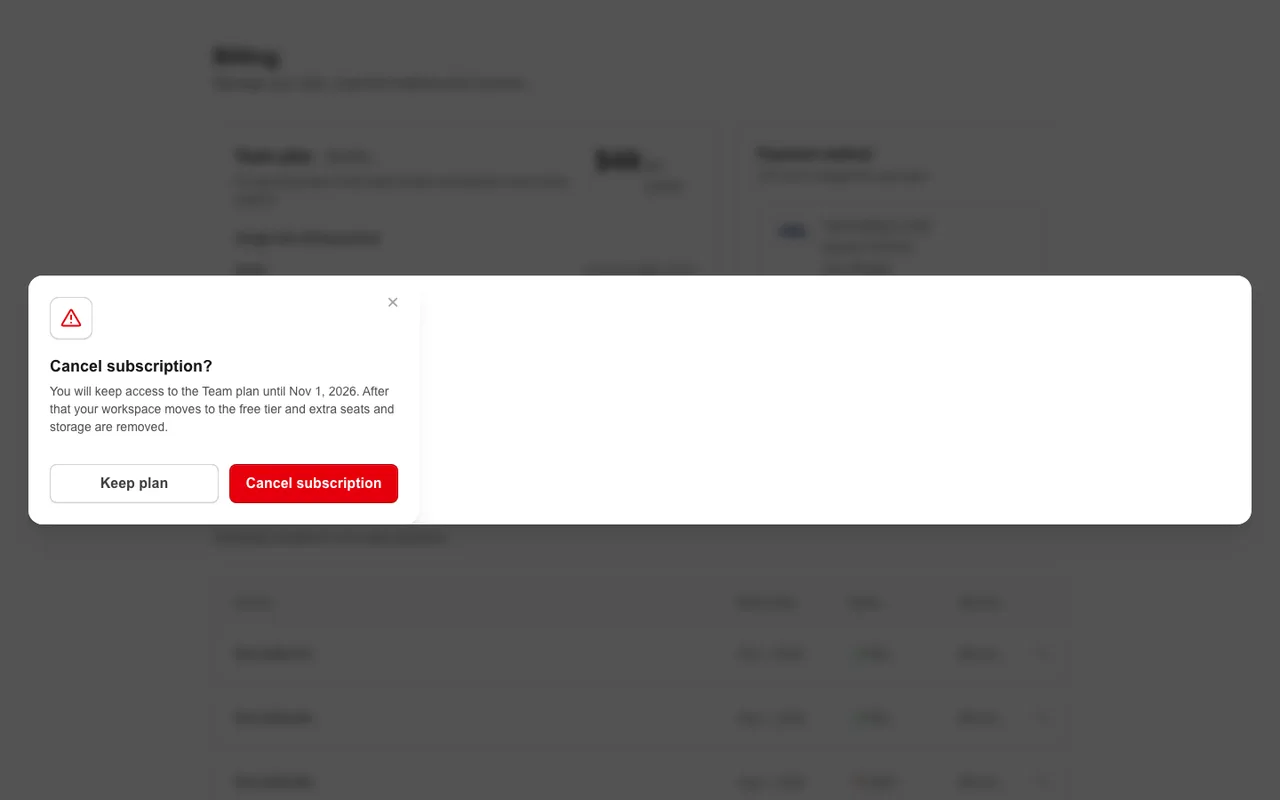
Proper UI. The dialog opens with the dialog role, takes focus and closes on Escape. 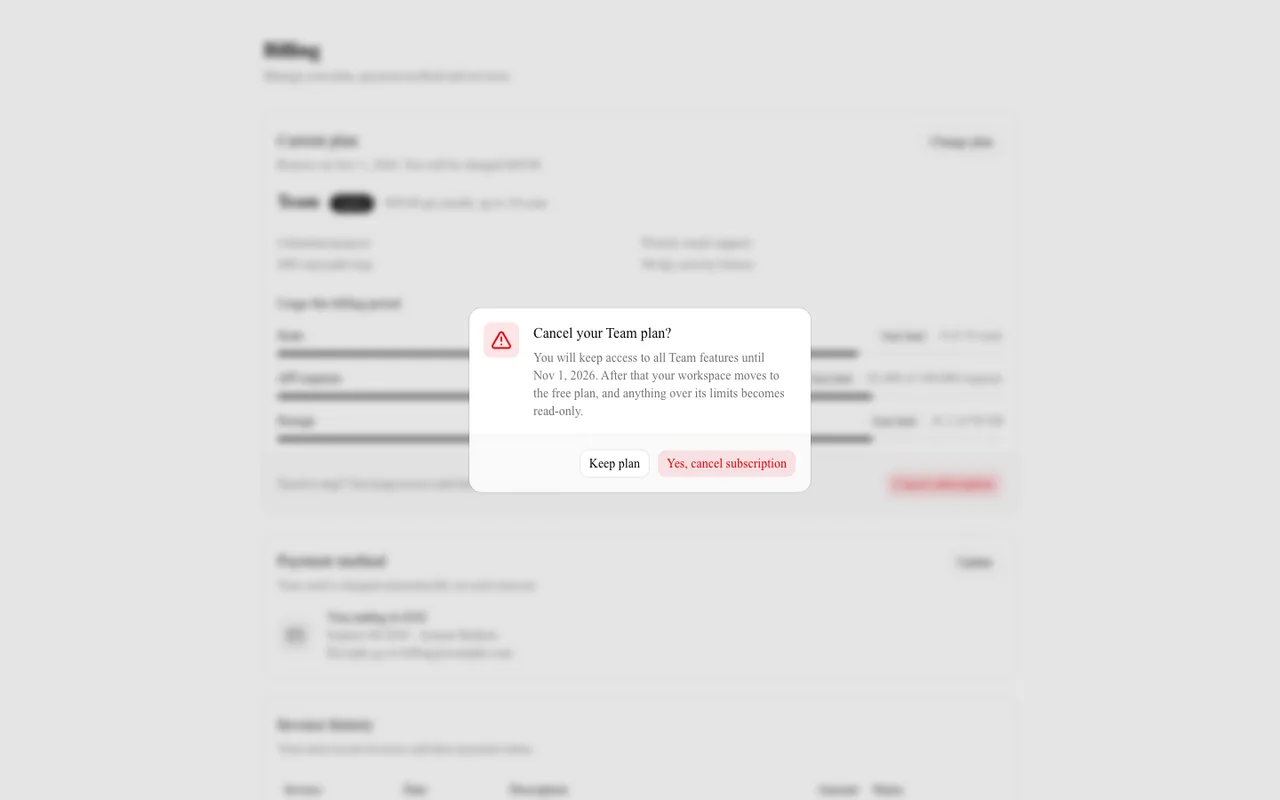
shadcn/ui. The dialog opens with the dialog role, takes focus and closes on Escape. 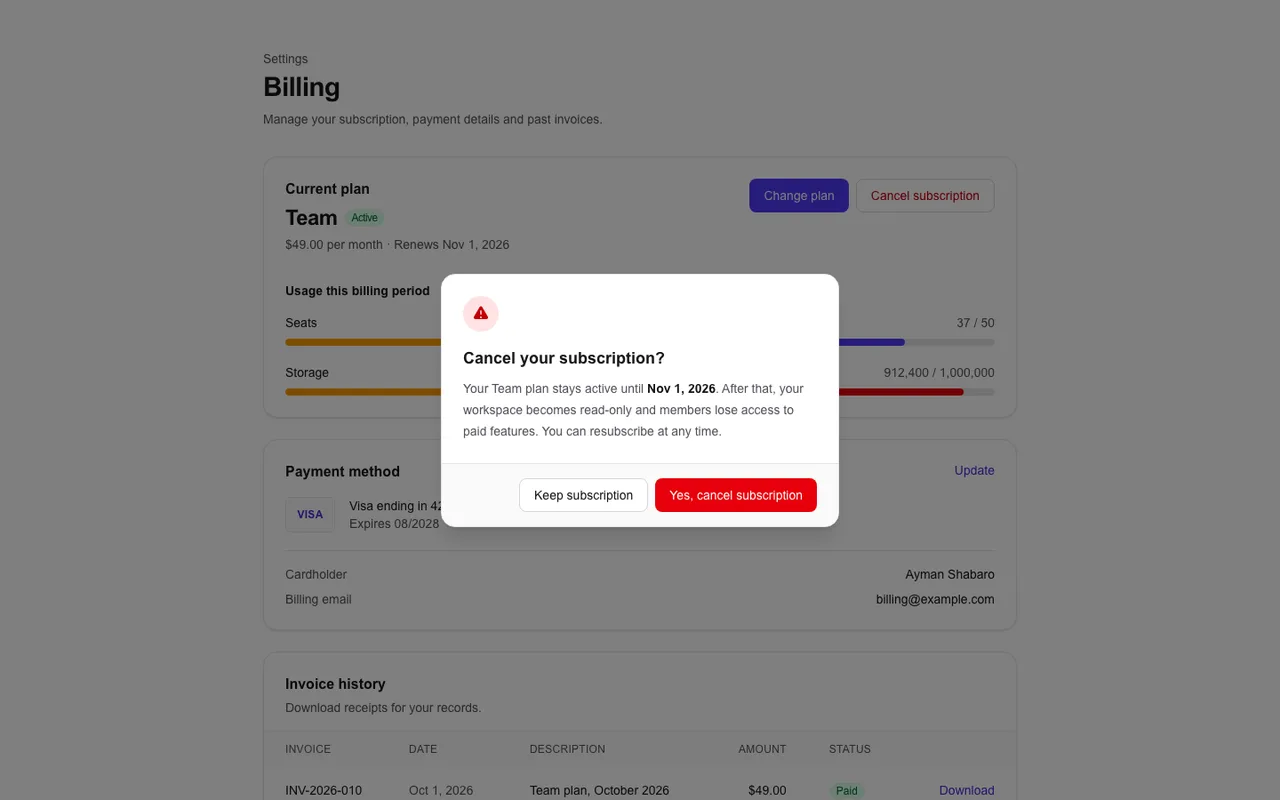
Tailwind only. The dialog opens with the dialog role, takes focus and closes on Escape.
Mobile
Full-page captures at phone width, cropped here to the top. The full image opens in a new tab.
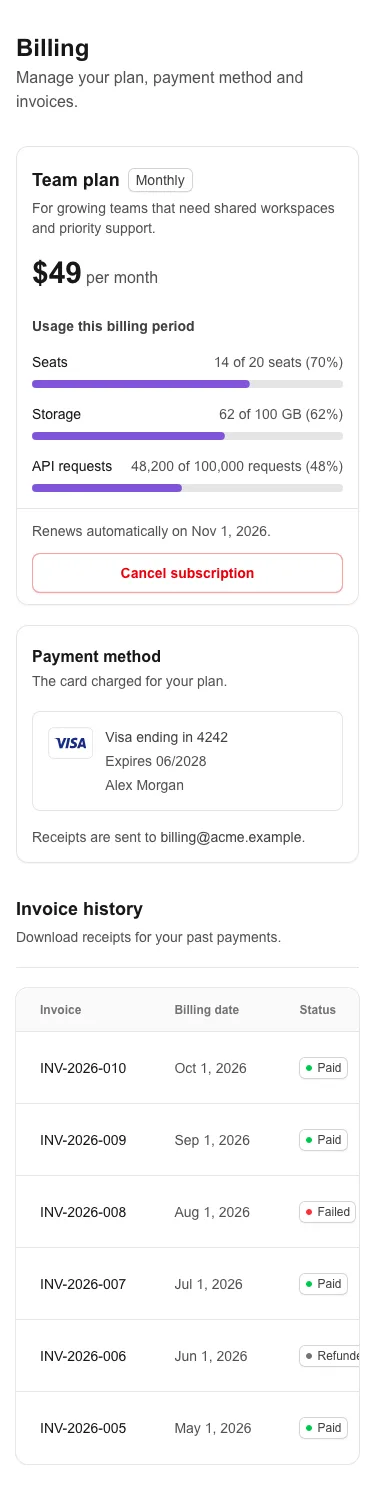
Proper UI. No horizontal overflow. 0 axe violations. 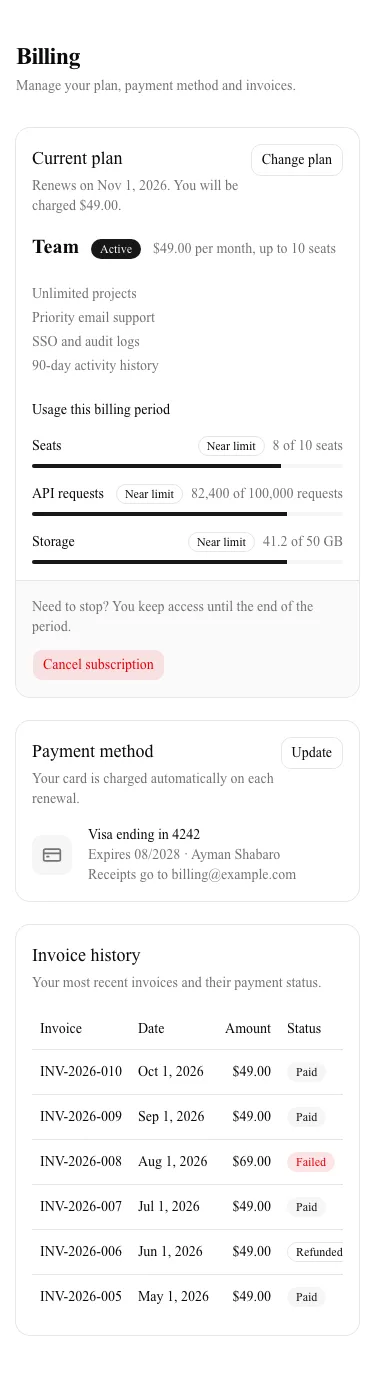
shadcn/ui. No horizontal overflow. axe: 1 violation (color-contrast on 2 nodes). 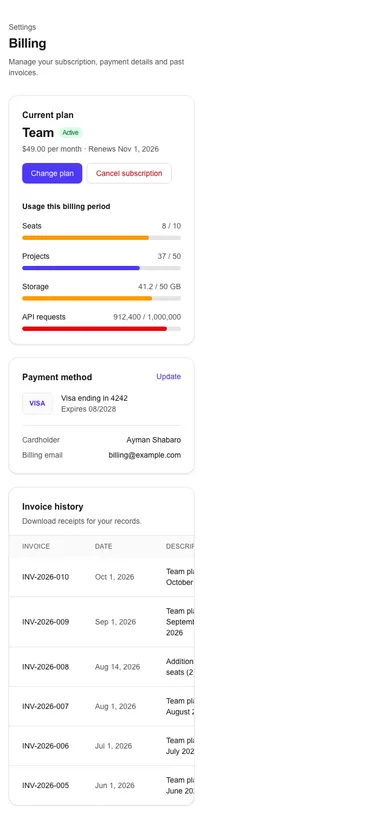
Tailwind only. Horizontal overflow: the capture is 390 px wide against 375 px for the others.
What the numbers show
Consistency
The Proper UI and shadcn/ui runs have 0 raw palette classes, 0 arbitrary values and 0 dark: variants in the files the agent wrote. The Tailwind run has 124, 2 and 59. That is how much of a page's look sits in one-off values rather than a shared token file. It is not a defect in a project with no token layer, and shadcn/ui, with its own theme variables, scores the same as Proper UI here.
Accessibility
axe-core found no violations in the Proper UI and Tailwind runs. It found 1 in the shadcn/ui run, a color-contrast issue on 2 nodes, at both viewports. All three cancel dialogs open with the dialog role, take focus and close on Escape. axe reads rendered markup only, so a clean result is a floor, not a verdict; see the limits below and Accessibility.
Effort
The Proper UI agent used 15 tool calls and 323 s, against 9 and 118 s for shadcn/ui and 4 and 80 s for plain Tailwind. Per its report, the agent followed the Skill: checking the project, searching and listing the registry, reading the settings-13 example, and installing table, confirm-dialog, progress-indicators, badges, buttons and section-headers instead of writing those parts. That put 165 files in the repository, against 6 for shadcn/ui, and left 273 authored lines in 3 files against 499 in 4 and 440 in 8. Time per step was not measured, and whether the install pays back over many screens is outside what one run can show.
The fix it needed
The first pnpm build of the Proper UI run failed: a Badge type="modern" only accepts color="gray"; the agent switched to type="pill-color". The build then passed. A typed API turned a wrong guess into a build error, which is useful, and it was also a failed step that the other two runs did not have.
What this does not show
- One run per condition, so the spread between runs is unknown. A second run of the same agent would differ.
- One brief, a billing settings page, written by the Proper UI maintainers. A different brief could favour a different condition.
- One model, claude-sonnet-5. Other models and other agent harnesses may behave differently.
- No real users. Nobody used these pages, so nothing here says which one is easier to use.
- axe-core checks rendered markup only. Zero violations is not the same as accessible, and the one shadcn/ui finding says nothing about the library on other pages. See Accessibility.
- Lines authored favour libraries that ship pages as source. A lower number there is the design of the library, not a measure of quality.
- The token counts are regexes over class strings. They show how much of a page's look lives in one-off values, not whether the page looks right.
Re-run it yourself: the steps, the prompt and the measuring script are in the benchmark protocol on GitHub.
When to keep shadcn/ui
shadcn/ui is a strong default, and for many teams it is the right one. Keep it if any of these is true.
You already have it, and a design system around it
A team with shadcn/ui components, a tuned theme and screens in production gains little from one comparison page. Migration cost is real and this run does not measure it.
You want Radix primitives
shadcn/ui builds on Radix. Proper UI builds on React Aria Components. If your team knows and wants Radix behaviour, that settles it.
You do not use AI agents to build screens
Tool calls and wall clock only matter for an agent run. For a person writing components, shadcn/ui is a strong default with a small footprint: 6 library files in this run against 165.
You need the shadcn ecosystem
Templates, blocks and community registries built on shadcn/ui are a large body of work that Proper UI does not try to match.
You are not on React 19 and Tailwind v4
Proper UI's components need both. If your project cannot move yet, that rules it out for now.
When Proper UI fits
AI agents build most of your screens
That is the case this run tests. The agent searched a registry and installed source instead of writing every screen from memory. See Proper UI for Claude Code.
You want full pages and flows as source
Screens, sections and curated flows install as files you own and edit, not as a component set you assemble.
You want one token file and a rule the agent follows
A single token file, a Skill and an MCP server give the agent the same rules on every screen. In this run the token counts were zero.
You are on React 19 and Tailwind v4
Proper UI targets both, and ships under the MIT license with no account.
Frequently asked questions
Is Proper UI a replacement for shadcn/ui?+
It is a different set of choices, not a drop-in swap. Proper UI builds on React Aria Components, one token file and full-page examples. If an app already has a theme of its own, read Adopting Proper UI first, since a few utility names collide. Trying it on one new screen is cheaper than a migration.
Why did the Proper UI run take more calls and more time?+
It followed the Skill: check the project, search and list the registry, read an example, then install entries. That took 15 tool calls and 323 s, against 9 and 118 s for shadcn/ui. Whether the up-front cost pays back across many screens is not something a single page can show.
Does zero axe violations mean Proper UI is accessible?+
No. axe-core checks rendered markup only, and the Tailwind run also had none. It cannot judge focus order, screen reader wording or whether a flow makes sense. See Accessibility for what the number covers.
Can I reproduce this run?+
Yes. The protocol, the prompt and the measuring script are in the repository, and every number above comes from the metrics.json files there. A different run of the same model will differ, so run it more than once before you trust any single result.
Check it against your own screens.
Try the MCP on one screen, or re-run the benchmark with your own brief.