Account settings
The pages behind a settings area: profile, password, team, notifications and integrations.
5 steps
 Step 1
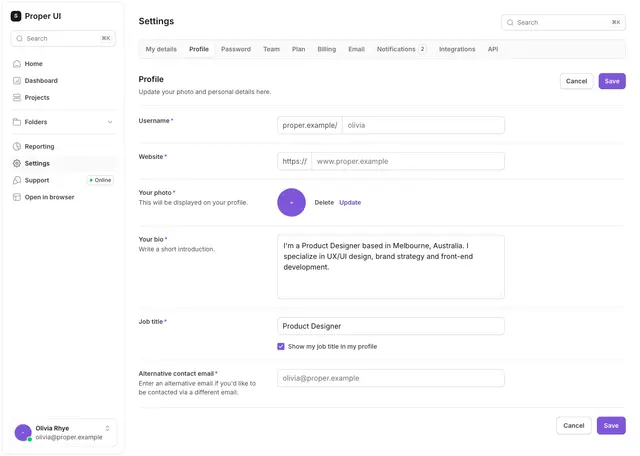
Settings 03
Edit the public profile: photo, bio, job title and website.
npx @properui/cli@latest add settings-03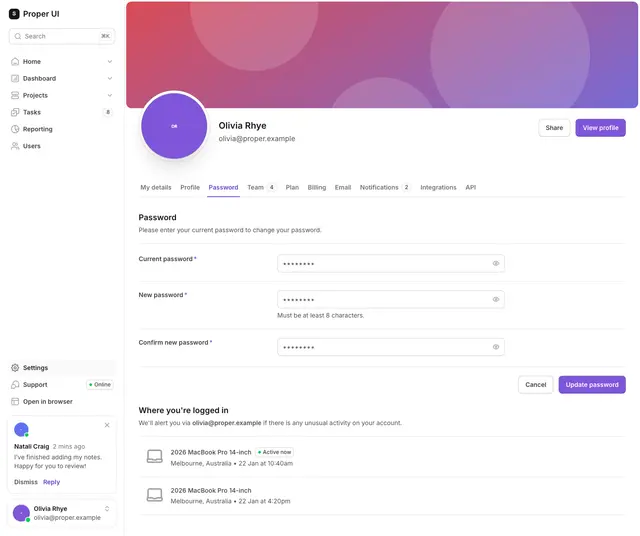 Step 2
Settings 05
Change the password with current, new and confirm fields.
npx @properui/cli@latest add settings-05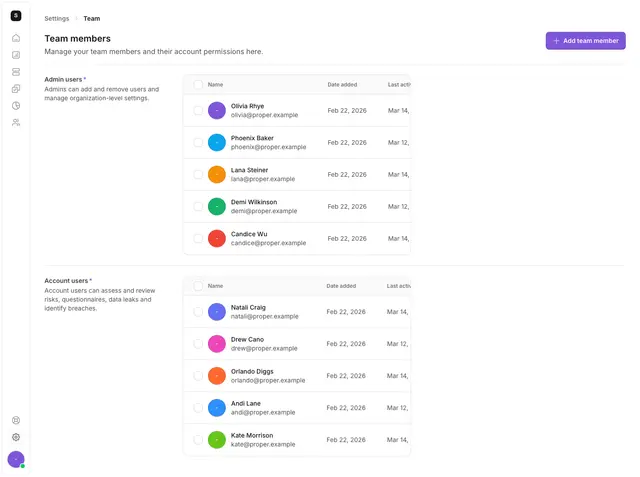 Step 3
Settings 09
List team members with roles and last-active dates.
npx @properui/cli@latest add settings-09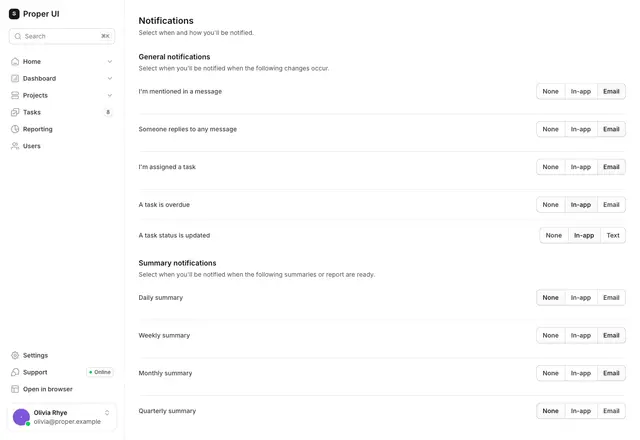 Step 4
Settings 17
Choose which events send email or text notifications.
npx @properui/cli@latest add settings-17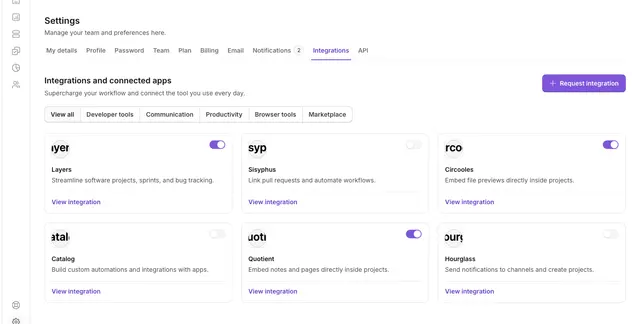 Step 5
Settings 21
Browse and connect third-party apps by category.
npx @properui/cli@latest add settings-21
Install this flow
One command writes every step and the components they compose.
npx @properui/cli@latest add settings-03 settings-05 settings-09 settings-17 settings-21Working in an agent? Ask the MCP server for the same journey.
search_flows "Account settings"